Access management
Read the Identity overview first — access management
binds roles to the identities Hub derives from your IdentityProvider, so
the identity model is a prerequisite.
Access management is how Hub decides what an authenticated caller may do.
This overview explains the tiers, the cascade rules, and the two role-binding
resources you'll use every day (OrganizationRoleBinding and
RealmRoleBinding). For the full role permission sets, the filtering
semantics, and the control-plane workload identity patterns, follow the
links at the end of this page.
Tenancy boundaries
Hub authorizes requests across three nested tiers. Each tier owns its own grant mechanism. Cascade is asymmetric: an organization-tier grant does not extend into any realm, but a realm-tier grant does extend into the control planes registered to that realm.
Organization. The Hub installation as a whole. Everything served from a
single hub-core is one organization. Organization-scoped state includes
the set of realms, the identity providers, and the organization-level role
bindings themselves.
Realm. A logical grouping of control planes inside an organization. Most Hub API resources are realm-scoped (control plane registrations, realm-level role bindings, and other per-tenant configuration all live in a realm). An organization can contain many realms. A common pattern is one realm per team or environment.
Control plane. An individual Kubernetes cluster (commonly a Crossplane control plane) registered into a realm. That cluster's own Kubernetes RBAC governs the resources inside it — Crossplane Compositions, claims, providers, and any other custom resources. Hub doesn't own this tier, but aggregates the data from all control planes using their existing access control.
Cascade only flows downward from the realm tier. An organization administrator has no automatic access inside any realm and must be bound in each realm they need to operate in. Realm-level bindings, on the other hand, project into every control plane registered to that realm. See What a realm role gets inside a control plane for what each role resolves to there.
Hub's role-binding resources
Hub provides one binding resource per tier it owns. Hub delegates the control-plane tier to the control plane's own RBAC.
| Tier | Hub binding | Scope | Built-in roles |
|---|---|---|---|
| Organization | OrganizationRoleBinding (ORB) | Cluster-scoped (Hub-wide) | org-admin |
| Realm | RealmRoleBinding (RRB) | Namespaced in the realm | realm-admin, realm-editor, realm-viewer |
| Control plane | None | Defers to the control plane's own RBAC | None |
OrganizationRoleBinding and RealmRoleBinding live in the
authorization.hub.upbound.io/v1beta1 API group, and accept the same shape of
subjects list. Each subject has a kind of User or Group and a name
matched against the identity Hub derives from the OIDC token (so
name: "corp:platform-admins" if userInfoPrefix is corp:).
Two constraints apply to both kinds. Names starting with connector- are
reserved for the bindings Hub creates during control plane and space
registration, so pick anything else. And roleRef.name is immutable — changing
which role a binding grants means deleting and recreating it, not editing it.
For the exact verb-per-resource matrix each role grants, see Roles reference.
Bootstrap or API — pick either
You can create these resources two ways:
- Bootstrap. Place the YAML in
hub-core's bootstrap directory. Hub applies it at startup and again every five minutes, so a resource reappears even if someone deletes it through the API. Right path for production installations, since role bindings then live under version control. - Live API call. POST the resource to
/apis/authorization.hub.upbound.io/v1beta1/organizationrolebindings(or/apis/authorization.hub.upbound.io/v1beta1/namespaces/<realm>/realmrolebindings) once you already have someone with the required role. Convenient for interactive changes.
Don't mix the two on one resource. A bootstrap file is the source of truth for whatever it defines, so an API change to that same binding survives at most five minutes before the next pass reverts it. Edit the file and redeploy instead, and keep the API path for bindings no bootstrap file declares.
Configure organization-level access
Grant a group organization-wide permissions by creating an
OrganizationRoleBinding. The resource is cluster-scoped, so it has no
namespace. The built-in organization role is org-admin.
Assuming corp: is the userInfoPrefix from your IdentityProvider and
platform-admins is the group value your OIDC provider emits, save this
as org-admin-binding.yaml:
apiVersion: authorization.hub.upbound.io/v1beta1
kind: OrganizationRoleBinding
metadata:
  name: platform-admins
roleRef:
  name: org-admin
subjects:
- kind: Group
  name: "corp:platform-admins"
Apply it against Hub's API:
kubectl --context hub apply -f org-admin-binding.yaml
List multiple subjects on a single binding to grant the same role to several groups:
subjects:
- kind: Group
  name: "corp:platform-admins"
- kind: Group
  name: "corp:sre-oncall"
You can also bind individual users directly with kind: User. The name
is the prefixed username Hub derives from claimMappings.username.claim —
"corp:alice@example.com" when the username claim is email.
An org-admin ORB grants organization-scoped capabilities only: managing
realms, identity providers, spaces, and Hub-wide settings. It does not grant
access to any realm's contents. You must grant the same subject a
RealmRoleBinding in every realm they need to operate in (though realm creation
auto-grants the creator realm-admin).
Configure realm-level access
Most Hub API resources live at the realm level: control plane registrations, realm-level role bindings, and other per-tenant configuration.
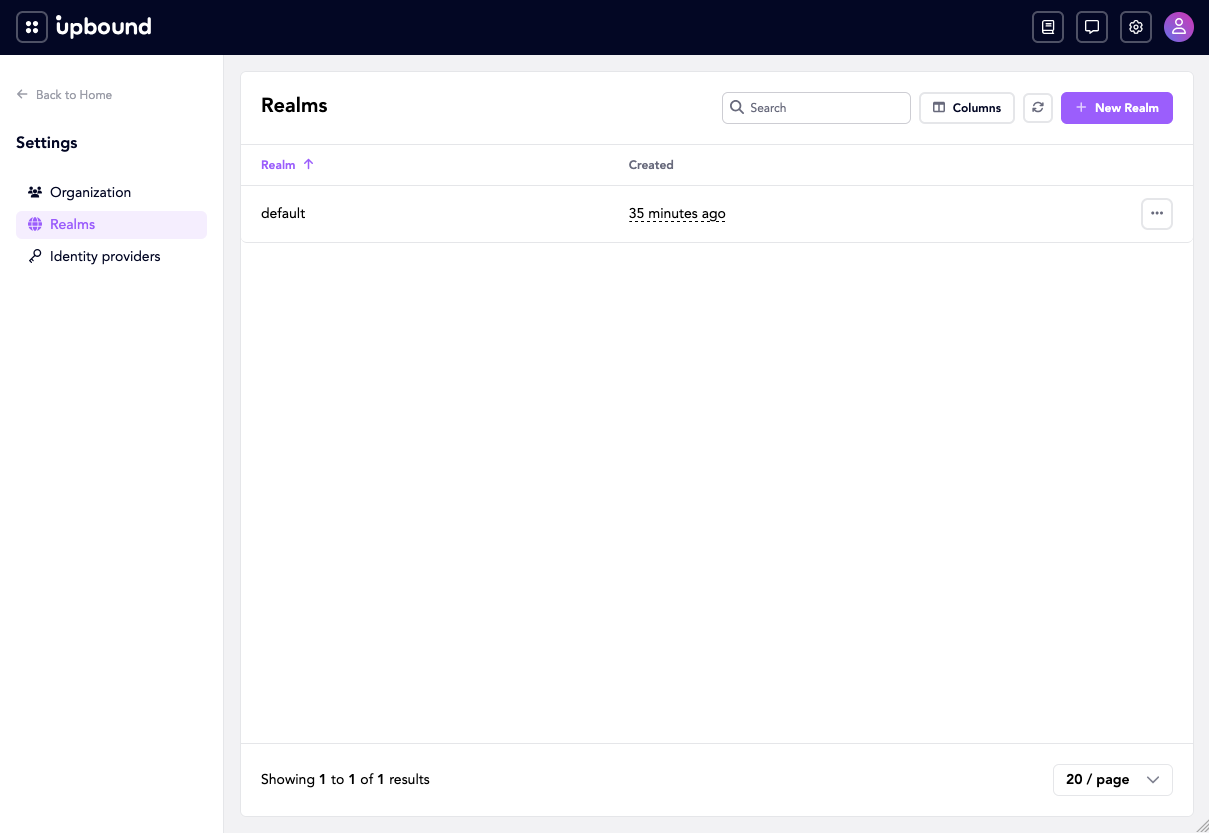
As an org-admin, create a realm in the Console under Settings →
Realms. A fresh install has a single realm, default:
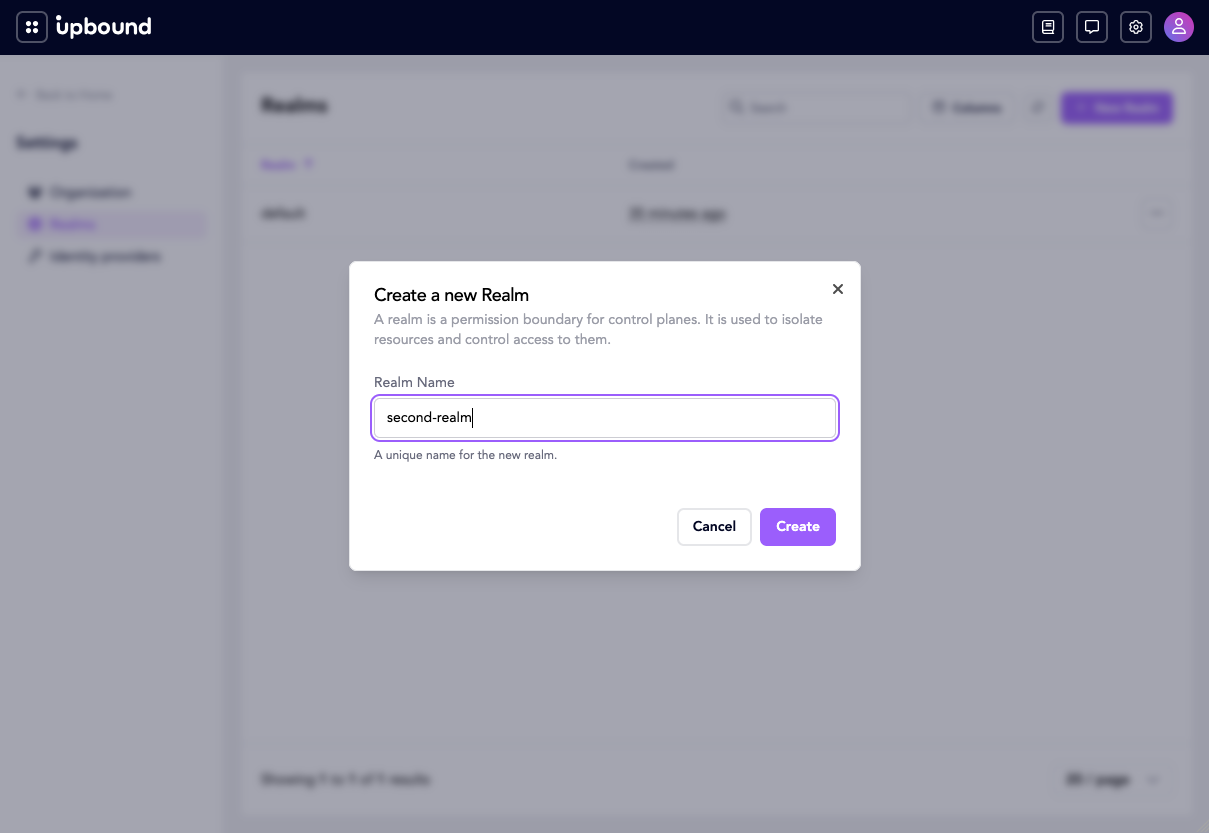
Choose New Realm and name it. The name is how the realm is addressed
everywhere else in Hub — it's the namespace that holds the realm's
RealmRoleBindings and control plane registrations — and you can't rename a
realm afterwards:
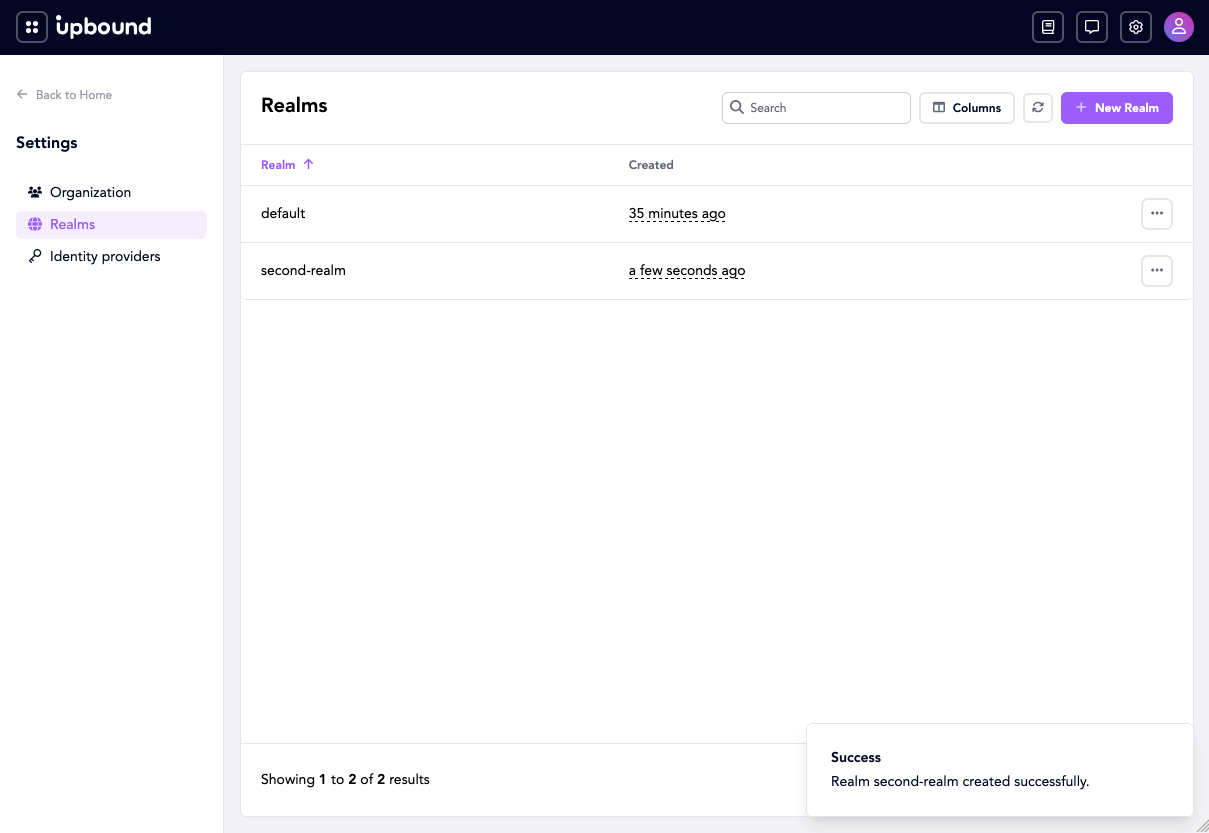
The new realm then appears alongside default:
Grant a group access to a realm by creating a RealmRoleBinding in the
realm's namespace. The namespace name must match the realm name.
Save this as prod-east-viewer-binding.yaml:
apiVersion: authorization.hub.upbound.io/v1beta1
kind: RealmRoleBinding
metadata:
  name: viewers
  namespace: prod-east
spec:
  roleRef:
    name: realm-viewer
  subjects:
  - kind: Group
    name: "corp:developers"
Apply it the same way:
kubectl --context hub apply -f prod-east-viewer-binding.yaml
Pick the role deliberately — roleRef.name is immutable:
realm-admin. Full control of realm-scoped resources, including the ability to register, update, and remove control planes within the realm.realm-editor. Read-write access to realm-scoped resources. Can't modify realm role bindings.realm-viewer. Read-only access to realm-scoped resources.
spec.roleRef.name must be one of those three values. Hub rejects
bindings that reference any other name. For the full operation matrix,
see Roles reference.
roleRef.name can't be changed after the binding exists. Hub rejects the
update with immutable field, delete and recreate ... to change it, on both
RealmRoleBinding (spec.roleRef) and OrganizationRoleBinding
(roleRef — it has no spec). Moving a group from realm-viewer to
realm-editor means deleting the binding and creating a new one, which
leaves a window where the group has no access at all. Create the
replacement first under a different metadata.name, then delete the old
one.
subjects stays editable, so adding or removing users and groups on an
existing binding is an ordinary kubectl apply.
A RealmRoleBinding covers one realm, so repeat it for each realm a group
needs.
Only org-admins can create realms. Hub also guards both tiers against
lock-out: you can't delete the last realm-admin binding in a realm, and you
can't delete the last org-admin binding in the organization. In both cases the
same guard covers updates that would strip the last admin's subjects or change
its role away from admin.
A subject can hold different roles in different realms, such as
realm-admin in prod-east and realm-viewer in prod-west. Create one
RealmRoleBinding per realm.
What a realm role gets inside a control plane
Realm-level bindings resolve inside each control plane to the following, by default:
| Realm role | Resolves to |
|---|---|
realm-admin | Every resource the hub-connector synced 1 |
realm-editor | Whichever of crossplane-edit / controlplane-edit the control plane has |
realm-viewer | Whichever of crossplane-view / controlplane-view the control plane has |
Hub passes both names for a realm role and doesn't branch on the control
plane's type. Whichever ClusterRoles the control plane actually has
contribute their rules; absent ones are skipped. A standalone Crossplane
(UXP) control plane carries only crossplane-*, so that's what scopes it. A
Spaces-managed control plane carries both, and the controlplane-* roles are
supersets that additionally cover Spaces-specific resources — they add to the
crossplane-* rules rather than replacing them.
Whatever verbs those ClusterRoles grant are what the corresponding realm
subject can perform inside the control plane. They're aggregated
ClusterRoles, so you widen the projection from inside the control plane
rather than by changing Hub configuration: label a ClusterRole
rbac.crossplane.io/aggregate-to-edit: "true" (or the admin / view
variants) and Crossplane's RBAC manager folds its rules into
crossplane-edit on the next pass.
The connector-side sync bound
realm-editor and realm-viewer are bounded by the aggregation ClusterRole
they map to. realm-admin isn't: it reads every resource the
hub-connector synced, so the connector's own sync scope is what bounds it.
By default the connector runs with
--limit-to-cluster-roles=crossplane-admin (configured via
connector.sync.limitToClusterRoles in the hub-connector Helm chart). It
syncs only the resources permitted by the union of those ClusterRoles, so
"every synced resource" for realm-admin is whatever the operator has
chosen to expose through them.
To broaden visibility, extend the crossplane-admin aggregation or add
ClusterRoles to limitToClusterRoles; to narrow it, tighten those
ClusterRoles. Setting limitToClusterRoles: [] syncs everything.
In demo mode (global.demo.enabled), the chart replaces the shipped
crossplane-admin default with the built-in cluster-admin, so a demo
install syncs resources even when crossplane-admin isn't present in the
cluster. The swap only applies to the untouched default — an explicit
limitToClusterRoles is honored as written.
Beyond the projection
For grants that don't fit the realm-tier projection — a specific user
needing access to one API group, a service account needing write access to
particular Compositions — fall back to standard Kubernetes RBAC inside the
control plane. See Pass Hub identities through to a control
plane for how
to make the control plane's native RoleBinding/ClusterRoleBinding
resources recognize Hub identities.
Related resources
Feature pages
- Identity overview — prerequisite.
Access-management detail pages
- Roles reference. What each built-in role grants.
- Filtering and self-review. How listings are scoped and
how to debug them with
SelfSubjectAccessReview. - Workload identities. Binding roles to control plane ServiceAccounts and OIDC workload identities such as GitHub Actions.
- Troubleshooting access.